
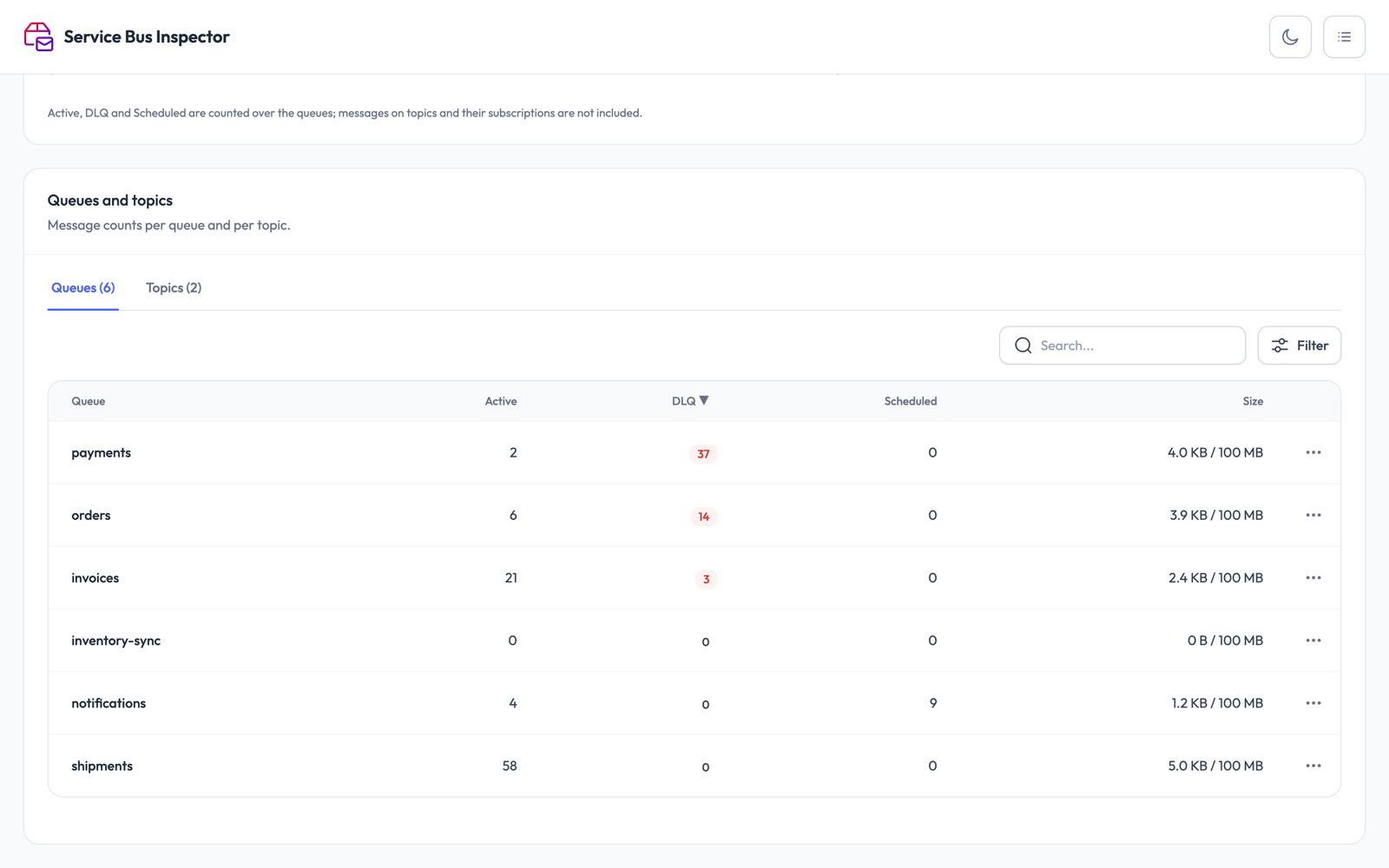
See where messages pile up
Every queue, topic and subscription of a namespace in one list, with its active, dead-letter and scheduled counts. Search, sort and filter on those counts to find the queue that is in trouble.
Free · runs on your own machine
A free, local web UI for Azure Service Bus. Browse queues and subscriptions, peek messages, and resubmit or purge the dead-letter queue. Runs in Docker on Mac, Linux and Windows.
docker run -d --name service-bus-inspector --restart unless-stopped -p 127.0.0.1:8686:8080 -v service-bus-inspector:/data sroosen/service-bus-inspector:latestThen open http://localhost:8686 and add a connection string. No account, no sign-up.
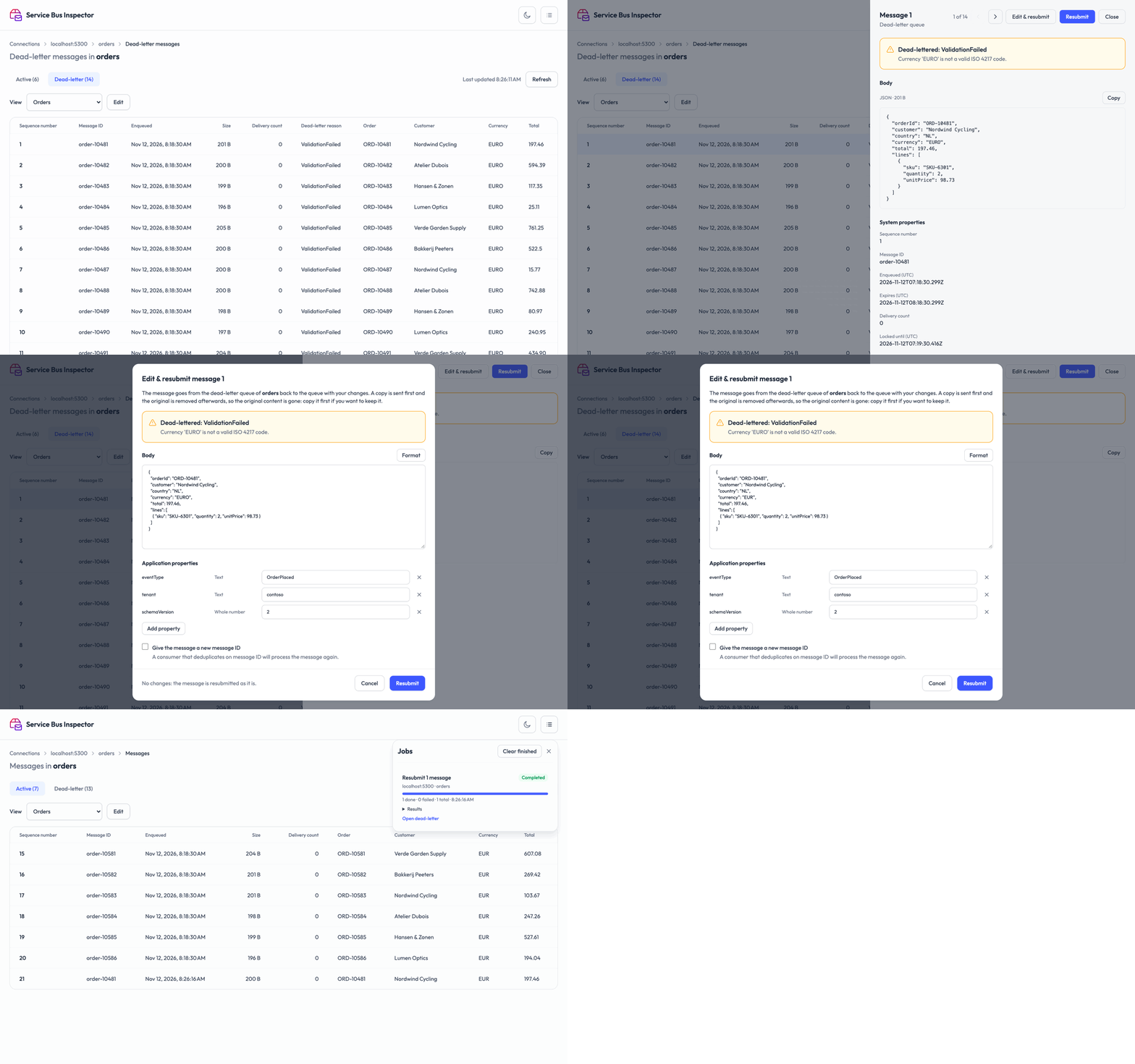
It runs in your browser, with all your namespaces side by side.
Every queue, topic and subscription of a namespace in one list, with its active, dead-letter and scheduled counts. Search, sort and filter on those counts to find the queue that is in trouble.
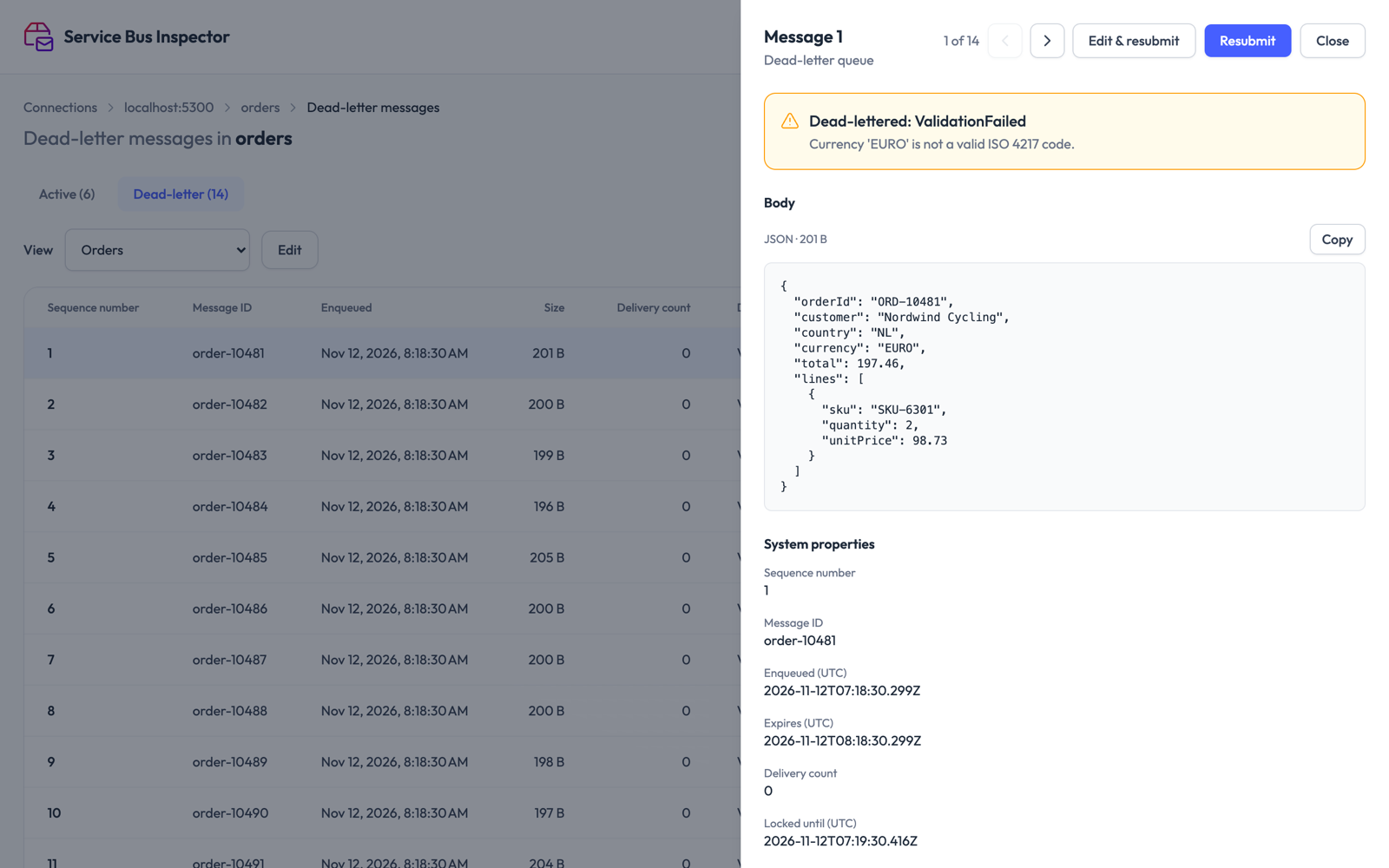
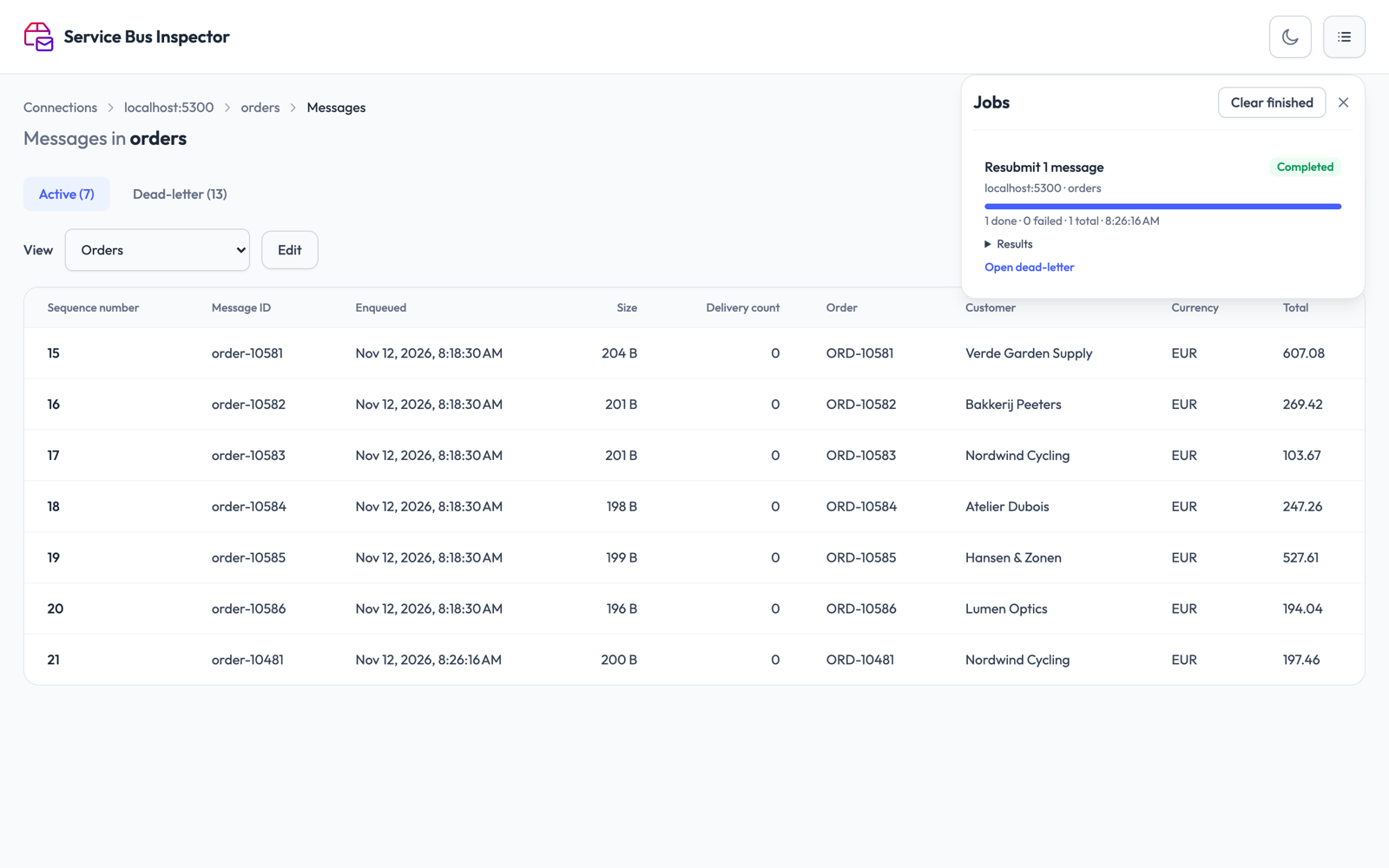
Peek active and dead-lettered messages without taking them off the queue. Open one to see its body, its properties and why it was dead-lettered. Pick fields from the JSON body as columns, so you can tell the messages apart in the list.
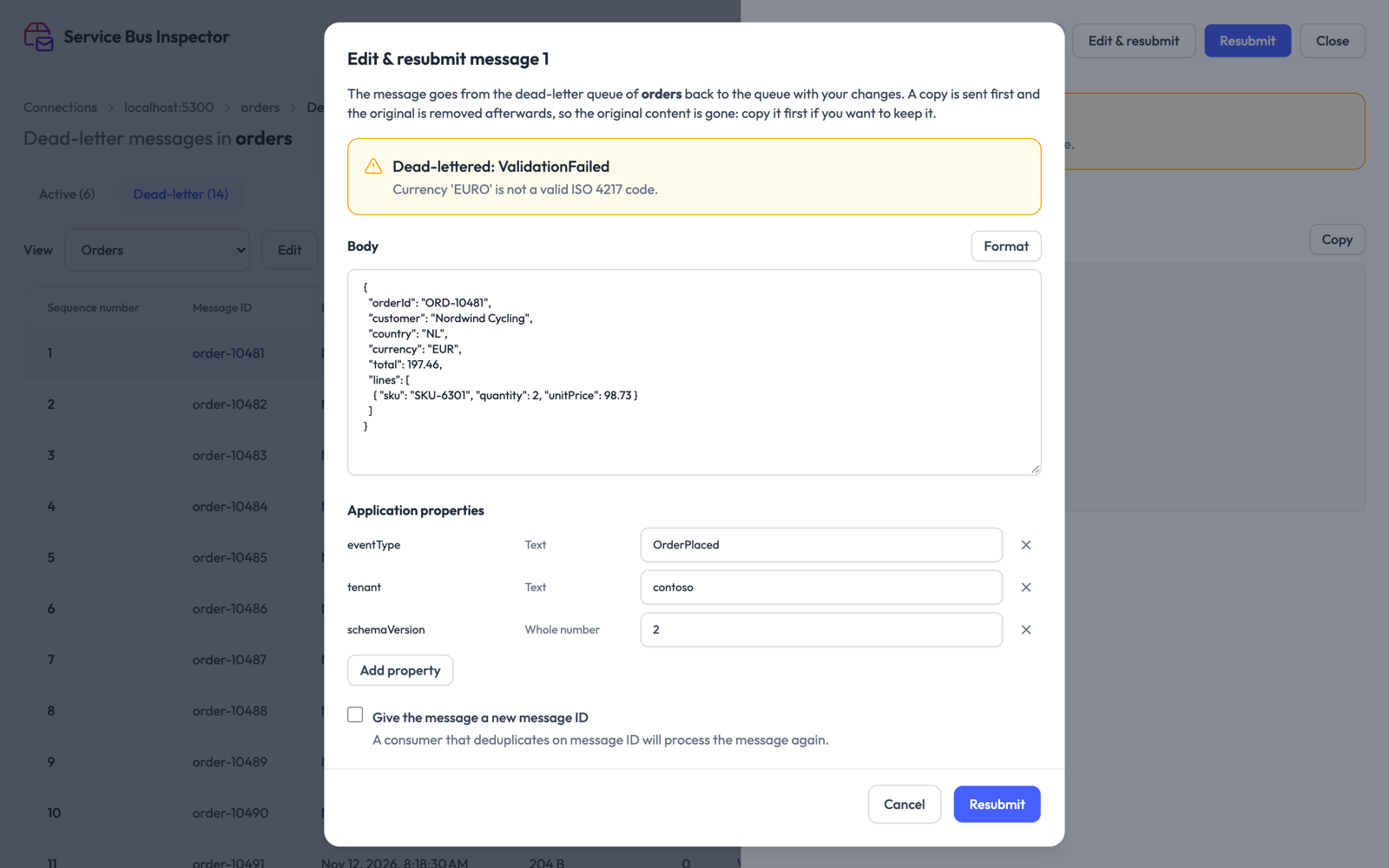
Send dead-lettered messages back to their queue: one at a time, or all of them in one go. Fix a message first by editing its body and application properties. Keep the message ID or give it a new one.
A resubmit sends the copy first and removes the original after. If something stops halfway you can get a duplicate, never a lost message.
Empty a queue or its dead-letter queue. The confirmation names the queue and the number of messages before anything is removed.
Resubmits and purges run as background jobs. A panel shows their progress, lets you stop one, and keeps what each job did.
You are giving a tool a key to your namespace, so here is exactly what happens to it.
The app runs in a container on your computer. There is no hosted service and no account.
The container connects to the namespaces you add and to nothing else. It reports no usage and no errors to us.
Connection strings are stored encrypted in a Docker volume on your machine. They are never sent back to the browser.
The docker run line binds to 127.0.0.1, so nobody else on your network can open it.
127.0.0.1: in the run command. Without it, anyone who can reach
your machine can read, purge and resubmit messages on every namespace you added.
An update stops a running job halfway and empties the job history, so check the jobs panel first. Your connections are kept.
docker pull sroosen/service-bus-inspector:latest && docker rm -f service-bus-inspectorThen run the start command again. To remove your stored connections for good:
docker volume rm service-bus-inspector